Like many tech titans, we also began our journey as a startup in humble garage - today, we are proud to protect some of the world’s leading organisations.
We prioritie the needs of our customers with exceptional service and keeping them at the center of our focus. Gain access to our platforms and use the guides to accelerate user engagement.
What is incident management? Definition, examples & why it matters
SHARE
Most security and facilities teams know how to respond to incidents. Fewer have agreed on what incident management actually covers, or even what counts as an incident in the first place.
That gap matters. If frontline staff cannot recognise when something crosses from routine observation into a genuine incident, no process downstream can make up for it. The response will always start late.
What is incident management?
Definition Incident management is the structured process of identifying, recording, responding to, investigating and learning from events that disrupt operations, threaten safety or create risk. Its purpose is to limit the impact of each incident and reduce the likelihood of the next one.
For a security team, that might mean a trespass, an assault on staff or a suspicious package. For a facilities team, it might be a lift failure, a flood or a contractor injury. Most teams handle all of these, often across several sites at once.
Effective incident management has five objectives:
Respond quickly, so the right people act before a situation escalates
Limit the impact on people, property, operations and reputation
Create a reliable record that stands up to clients, insurers, regulators and courts
Investigate properly, so causes are understood rather than assumed
Prevent recurrence, by turning incident data into operational change
The last objective is the one most often missed. Incident management that stops at logging and response is really just incident recording. The value comes from what teams learn and change afterwards.
What counts as an incident?
An incident is any unplanned event or abnormal condition that disrupts service, threatens safety, or introduces operational or reputational risk.
Some incidents are immediate: a fire alarm, a physical altercation, a system failure. Others build slowly: a run of missed check-ins, a recurring fault nobody escalated, a permit that expired without anyone noticing.
Either way, the defining quality is the same. Left unmanaged, it gets worse.
Clear definition matters because instinct doesn’t scale. Experienced staff develop a feel for what matters, but that feel doesn’t survive shift changes, staff turnover, or a regulator asking why an event wasn’t logged. A shared definition does three things:
It speeds up response: Staff who know what an incident looks like act faster and with more confidence.
It creates a data trail: Correctly classified events feed reporting, analytics and post-incident reviews.
It enables prevention: Patterns only become visible when events are recorded consistently.
Incidents vs near misses
A near miss is an event that could have caused harm but didn’t. A contractor’s ladder slips but nobody is hurt. A fire door is found propped open before anyone needs it. It isn’t an incident, but it is just as important to capture.
Near misses are some of the most valuable data an organisation generates. They show where controls are close to failing before they actually fail, which gives teams the chance to fix problems before anyone is harmed.
The common mistake is treating a near miss as not worth reporting because nothing bad happened. If your classification framework doesn’t include near misses as a formal category, add one.
Everyday entries that can become incidents
Incidents rarely arrive without warning. They often sit in plain sight, inside routine logs, requests, and observations that nobody joined up.
Here’s how the most common operational entries relate to incident risk:
Type
Definition
Example
Incident Risk
Log Entry
A timestamped record of an event or activity – typically from a control room, front-of-house or loading bay.
“Door 12 opened at 18:04”
High if abnormal or repeated
Request
A service or action raised by staff, contractor or an occupier.
“Repair faulty security camera”
Moderate if delayed; high if left unfulfilled
Record
A formal entry for compliance or data history.
“Security training & licence record uploaded”
High if false or expired
Activity
A scheduled task or process
“Fire panel tested at 09:00”
High if skipped or fails
Observation
A note from staff, contractors, or the public
“Wet floor near entrance B”
Moderate; high if ignored
Register
A recurring log of people, vehicles, or items
“Key register shows missing item”
High if an anomaly is found
Check-in/out
Attendance or compliance tracking, often for lone workers
“Lone worker checked in at 06:00 but not out”
Critical if missing or out-of-hours
Booking
Use of space, asset, or resource
“Room double-booked for 14:00”
Low; moderate if it affects service
Form
Structured data for regulatory, access or workflow purposes
“Permit to work incomplete”
High if approvals are missing
Issue
A flagged concern or fault not yet formally classified
“Intermittent lift failure reported”
Very high; a classic pre-incident signal.
None of these entries is an incident on its own. Any of them can become one, or reveal that one is already developing, when it is abnormal, repeated or ignored. Good incident management starts with recognising that.
Is it an incident? A five-question checklist
When a team member isn’t sure whether to log something, this checklist gives them a consistent way to decide:
Incident classification checklist:
Question
Yes
No
Is this unplanned, abnormal, or unexpected?
☐
☐
Does it affect safety, service, security or compliance?
☐
☐
Could it get worse if not addressed promptly?
☐
☐
Is escalation, investigation or immediate response needed?
☐
☐
Could this be part of a broader pattern of risk?
☐
☐
Two or more “yes” answers? Log it as an incident
Encourage staff to attach supporting context at the point of logging: past logs, related requests, earlier observations. The more context a record carries, the more useful it becomes for investigation and analysis. Context isn’t admin. It’s intelligence.
Incident severity: not everything is equal
Knowing something is an incident is only half the decision. Your team also needs to know how serious it is. Most frameworks use a tiered severity model.
Here’s a practical starting point:
P1 – Critical: Immediate threat to life, property, or service. Needs instant escalation and a command-level response. Examples: an active security threat, fire, serious injury or major system failure.
P2 – High: Significant disruption or clear safety risk. Needs a rapid response and may need senior oversight. Examples: a lone worker unaccounted for, confirmed intrusion, a widespread access control failure.
P3 – Moderate: Disruption or risk that needs resolving within hours. Examples: a CCTV fault, an unresolved maintenance issue with safety implications, a missing permit-to-work.
P4 – Low: A minor issue with no immediate safety or service impact. Log it and monitor it. Examples: a single door access fault, a minor observation requiring follow-up.
Severity tiers decide who is notified, how quickly, and which response procedure applies. Agree the procedure for each tier in advance, so nobody has to decide under pressure.
The incident management lifecycle at a glance
Defining an incident is the first step in a wider process. Incident management covers the full lifecycle, from the moment something is spotted to the changes made afterwards:
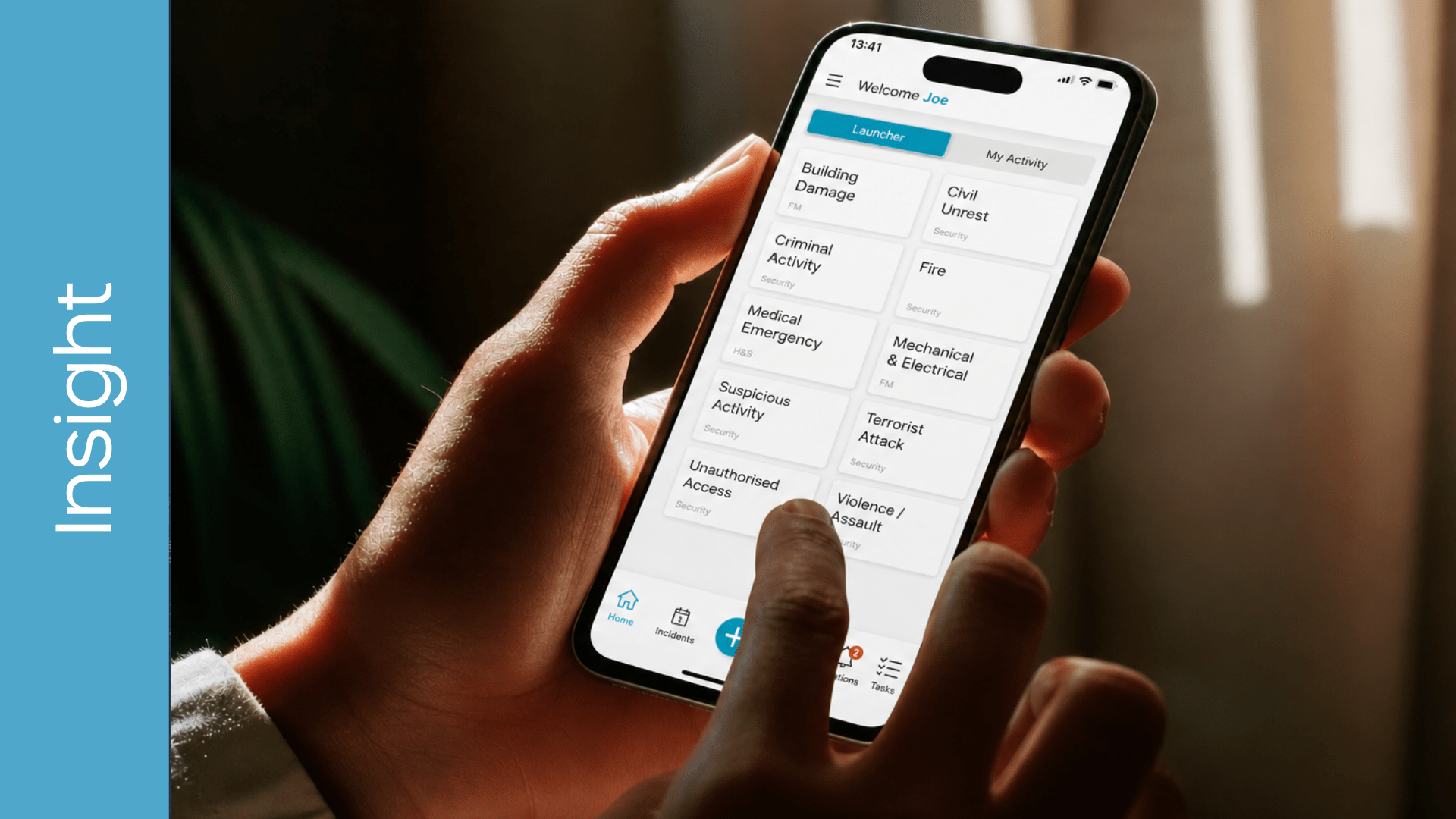
Detection and reporting: the incident is captured quickly and completely, ideally on a mobile device at the scene.
Classification and prioritisation: type and severity are assigned, which determines what happens next.
Notification and escalation: the right people are alerted, with automatic escalation if nobody acknowledges.
Response and management: teams follow standard procedures and coordinate in real time.
Learning and prevention: root causes are addressed and procedures updated.
Each stage depends on the one before it. You can only investigate what was captured, and you can only capture what was correctly identified. That is why incident definition isn’t just a training issue.
It is a system design issue: your forms, categories and workflows all need to reflect a shared understanding of what an incident is. For a stage-by-stage breakdown, including response planning and how to choose a platform, read our incident management guide.
Incident management vs incident response
The two terms are often used interchangeably, but they aren’t the same thing. Incident response is what happens in the moment: containing the situation, protecting people and restoring normal operations. Incident management is the wider discipline around it, covering how incidents are identified, recorded, escalated, investigated and learned from.
Put simply, response is one stage of incident management. A team can respond well to every incident and still manage them poorly, if nothing is recorded properly or nothing changes afterwards. Read more about the difference between incident management and incident response.
Who is responsible for incident management?
Incident management is shared across roles, and each has a distinct part to play:
Frontline officers and operatives: spot incidents, report them and make the scene safe. They need simple, fast reporting tools that work on the move.
Control room operators: coordinate the response, dispatch resources and keep the live record up to date.
Supervisors and duty managers: make escalation decisions, direct the response and check reports are complete.
Security and facilities managers: own the process, set categories and procedures, and review performance.
Health and safety leads: manage near misses, reportable incidents and statutory reporting such as RIDDOR.
Senior leadership: set risk appetite and use incident data to inform investment decisions.
Where security or FM services are outsourced, agree responsibilities in writing. The service provider usually records and responds; the client usually owns the risk and needs reporting it can rely on. The gaps between the two are where incidents get lost.
What good incident management looks like
Teams that manage incidents well share a few consistent habits:
They define before they respond. They’ve agreed upfront what an incident is, and what it isn’t. This removes ambiguity under pressure.
They capture everything. Not just the major events. Logs, observations, near misses, and routine entries all feed the system. So patterns emerge and prevention becomes possible.
They connect the dots. A single log entry means little. That same entry, linked to three similar observations over two weeks, tells a very different story.
They review seriously. Post-incident reviews are where lessons are learned, and procedures improved. They are not a tick-box exercise.
They work from one record. Paper logs and spreadsheets create gaps and delays. Teams that manage incidents well bring logs, forms, observations and escalations into a single, searchable system, so everyone who needs the full picture can see it.
Incident management starts with definition
Incident management is more than responding when something goes wrong. It is the discipline of recognising incidents early, recording them consistently, handling them by severity and learning from every one. Most of that depends on a decision made before anything happens: a shared, practical definition of what counts as an incident. Get that right, and every stage of the lifecycle that follows becomes faster, clearer and more useful.
Want to see how this works in practice? Zinc brings logs, observations, forms and escalations into one incident management system, built for security and FM teams. Explore the Incident Management module or book a demo.























 Incident



 +44 (0)20 3989 4859
 info@zinc.systems

